WhatsApp Marketing for Small Businesses in India: Rules, Tools and Ideas
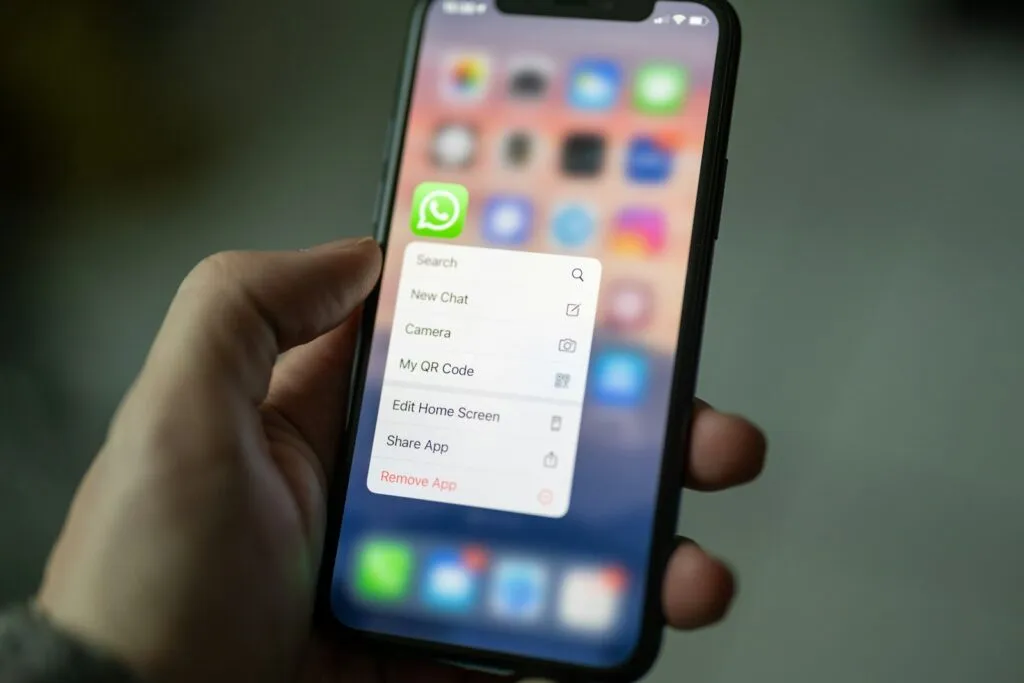
WhatsApp is where many Indian customers already talk to businesses, which makes it a powerful channel for order updates, appointment reminders and offers. It is also easy to misuse. Messages that people did not ask for get blocked and reported, and can damage your number. This guide explains the two ways to use WhatsApp for business, the rules to follow and practical ideas that work for small businesses. Last checked: October 2026.
WhatsApp Business App vs WhatsApp Business Platform
These are two different products. The WhatsApp Business app is a free app for your phone, built for small businesses. The WhatsApp Business Platform is the API that Meta offers through approved providers, used by businesses that want automation, a team inbox or a link to a CRM.
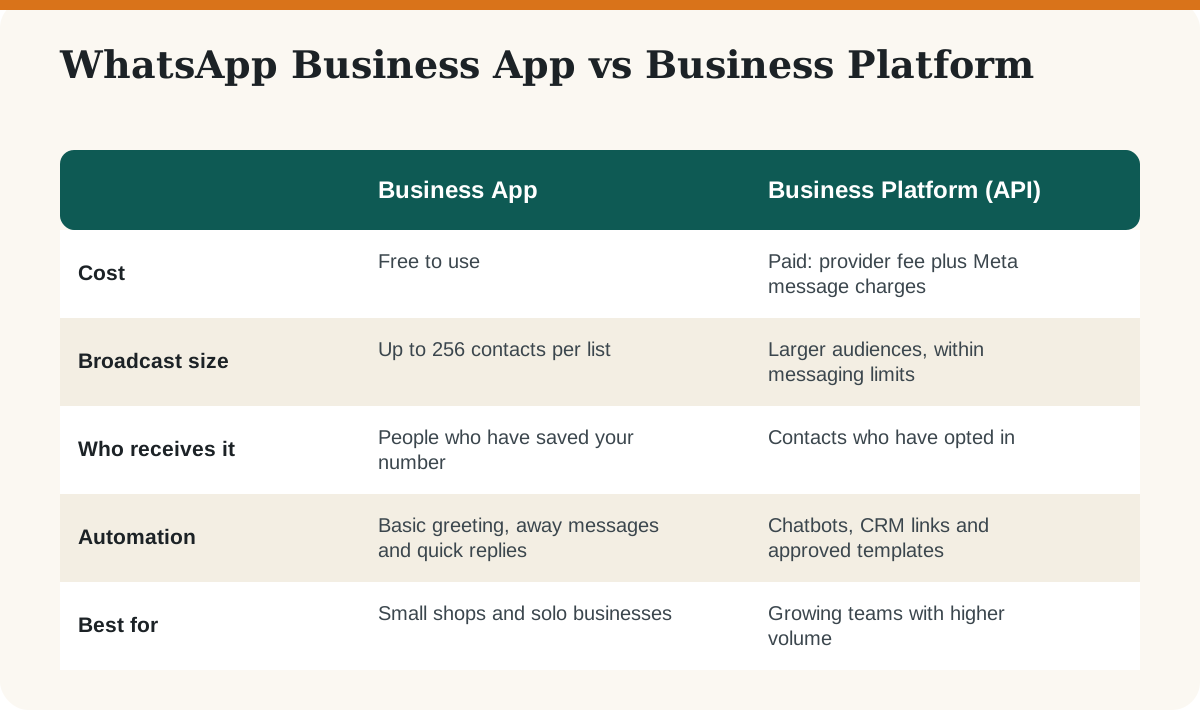
Meta moved the Platform from per-conversation to per-message pricing on 1 July 2025, and rates differ by message type and country. Because prices keep changing, check Meta’s own WhatsApp Business Platform pricing page instead of relying on a number in any blog post, including this one.
What Are the Rules for WhatsApp Marketing?
- Get permission first. WhatsApp expects businesses to have people’s opt-in before sending marketing messages. A clear tick box on your website, a form at the counter or a customer messaging you first are all ways to collect it.
- Do not buy or scrape number lists. People who did not ask to hear from you will block you, and heavy blocking can get your number restricted.
- Make it easy to stop. Tell people they can reply “STOP”, and respect it immediately.
- Use approved templates on the Platform. Business-started messages must use templates that Meta approves, in categories such as marketing, utility and authentication. Replies to a customer who messaged you first are handled differently and do not need a template.
- Handle personal data carefully. India’s Digital Personal Data Protection Act, 2023 sets rules on consent and use of personal data. Keep a record of when and how each customer agreed, and take advice on the current rules for your business.
Read the official WhatsApp Business Messaging Policy before you send your first campaign.
How to Start With the Free WhatsApp Business App
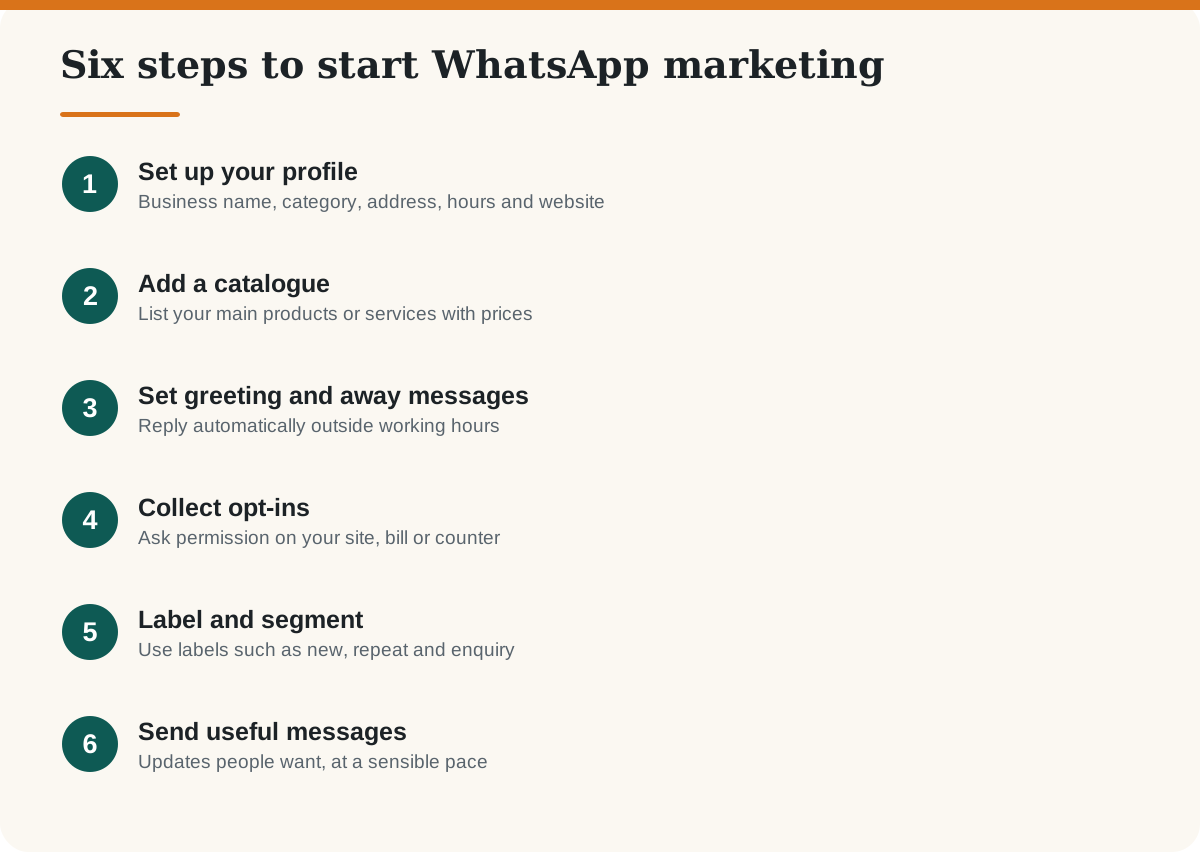
Use a number that is dedicated to your business, so that customers always reach the same contact. In the app you can set a business profile, a catalogue, a greeting message, an away message, quick replies for common questions and labels to sort your chats. These small features save hours when you handle enquiries by hand.
Seven Practical WhatsApp Marketing Ideas
- Order and delivery updates. The most welcome message a customer can receive, and the one that builds trust.
- Appointment reminders. Clinics, salons and tuition centres cut no-shows with a reminder the day before.
- New arrivals. Share a few photos from your catalogue with people who asked to hear about new stock.
- Festival offers. A short, honest offer to opted-in customers before Diwali or a local festival, with a clear end date.
- Review requests. After a good experience, send a thank-you with your Google review link. See how to optimise your Google Business Profile.
- Helpful tips. A short how-to from your own expertise, linking to a full article on your site. A 30-day content plan gives you a steady supply.
- Click-to-chat links. Add a WhatsApp button to your website, Instagram profile and Google Business Profile so customers can message you in one tap.
When Should You Move to the WhatsApp Business Platform?
Consider the Platform when your opted-in list has grown beyond what a 256-contact broadcast can cover, when several staff need to answer from one number, or when you want messages sent automatically from your shop, booking or CRM system. You will work through an approved provider, who charges its own fee on top of Meta’s message charges, so compare a few and ask for the full cost for your expected volume. If you are choosing a CRM to connect, see our guide to AI in customer service and sales.
Frequently Asked Questions
-
Is WhatsApp marketing free?
The WhatsApp Business app is free to use. The WhatsApp Business Platform is paid: you pay a provider and Meta charges for messages, and the rates depend on message type and country. Check Meta’s pricing page for current rates.
How many people can I send a WhatsApp broadcast to?
In the WhatsApp Business app, a broadcast list can hold up to 256 contacts, and only people who have saved your number receive it. The Business Platform supports larger audiences within its messaging limits.
Do I need permission to send marketing messages on WhatsApp?
Yes. WhatsApp expects businesses to have opt-in from people before sending marketing messages. Keep a record of how and when each person agreed.
What is a message template?
A template is a pre-written message that Meta approves for business-started messages on the Business Platform. Templates fall into categories such as marketing, utility and authentication.
Can my number get blocked?
Yes. If many recipients block or report your messages, or you break WhatsApp’s policies, your number can be restricted. Send only to people who asked to hear from you and make it easy to opt out.
Can I use my personal number for my business?
It is better to use a separate number dedicated to your business so that customers always reach the same contact and your personal chats stay private.