10 Best Ways to use directly AI in WordPress to Save Hours Every Week | AI in WordPress
Quick answer: AI now works directly inside WordPress rather than requiring you to draft in ChatGPT and copy-paste back — plugins and built-in AI features can edit images, generate SEO metadata, translate content, expand or condense text, enhance photos, generate FAQs, bulk-update WooCommerce products, create featured images, and auto-categorise content, all from within your dashboard. This saves real time on repetitive tasks, though output should still be reviewed before publishing.
AI in WordPress: From Copy-Paste to Built-In Workflow
AI is transforming how WordPress sites are managed — from content creation and SEO to image editing and multilingual publishing. Most site owners still use AI the traditional way: opening ChatGPT or another AI platform, drafting content separately, then copying it back into WordPress. This works, but it’s slower and more repetitive than it needs to be.
Today, AI can work directly inside WordPress through plugins and integrations — letting site owners, bloggers, marketers, and WooCommerce store managers automate daily tasks without leaving their dashboard. Here are 10 practical ways to use it.
Why This Combination Works So Well
WordPress powers a large share of websites globally, and managing large volumes of content, images, products, and SEO data manually gets overwhelming fast.
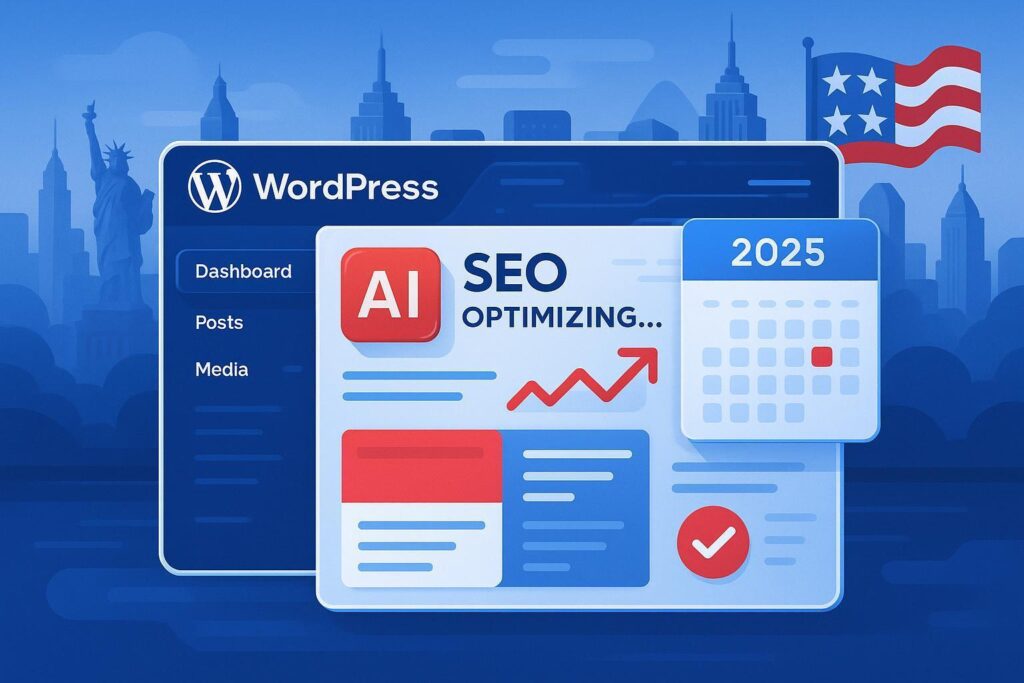
Built-in AI helps by automating repetitive tasks, improving content consistency, enhancing SEO performance, and scaling production — genuinely useful whether you run a blog, business site, news portal, or WooCommerce store.
1. Edit Images Using Simple AI Prompts 🖼️
Instead of opening Photoshop or Canva, AI-powered image editing tools built into WordPress (or plugins connecting to AI image APIs) let you simply describe the edit you want:
- Remove image backgrounds
- Remove unwanted objects
- Delete text overlaid on images
- Add elements (furniture, plants, décor) to a scene
- Improve lighting and sharpen blurry photos
Benefits: Saves time, requires no design skills, and produces professional-quality visuals faster than manual editing.
Example prompt: Instead of spending 10 minutes manually editing a product photo, simply enter: “Remove the background and improve image lighting.” AI completes the task in seconds.
2. Generate SEO Titles and Meta Descriptions Automatically 📈
Creating SEO-friendly titles and meta descriptions for hundreds of pages manually is exhausting. AI-assisted SEO plugins (like Rank Math’s AI features) can factor in search intent, keywords, and content relevance to generate optimised metadata at scale.
Benefits: Better click-through rates, improved search visibility, and consistent SEO implementation across many pages.
Example title: “10 Powerful AI Tools for WordPress Website Owners in 2026”
Example meta description: “Discover the best AI tools for WordPress to automate SEO, content creation, image editing, and website management.”
3. Translate Content Directly Inside WordPress 🌍
Managing a multilingual website is far easier with AI-assisted translation built into your CMS. AI can instantly translate blog posts, product descriptions, landing pages, categories, and FAQs — without needing a separate translation tool or service.
Benefits: Faster localisation, improved global reach, and better user experience for non-native-language visitors.
Popular target languages for Indian and global audiences include Hindi, Marathi, Gujarati, Spanish, French, and German — AI translation dramatically reduces the cost of reaching these audiences compared to hiring separate human translators for every language.
4. Lengthen or Shorten Content Instantly ✍️
Inconsistent content length across pages is a common website design problem. AI can expand short content, condense long paragraphs, rewrite for clarity, or normalise text length across a set of pages needing a consistent format.
Benefits: Better page design, improved readability, and a more consistent user experience site-wide.
Example: A sparse 15-word product description can become a detailed 100-word explanation with a single AI prompt.
5. Adjust Image Ratios Without Losing Key Content 📷
Creating differently-sized images for Instagram, Facebook ads, website banners, and blog thumbnails traditionally means creating multiple manual versions. AI can intelligently extend an image’s canvas to fit a new aspect ratio, generating plausible surrounding content instead of cropping out important elements.
Benefits: Better image quality across platforms, improved social media appearance, and consistent branding without manual re-editing for every format.
6. Enhance Image Quality Automatically ✨
Sometimes images just need enhancement rather than editing. AI can improve sharpness, colour balance, contrast, brightness, shadow detail, and reduce visual noise — turning a mediocre photo into something publish-ready.
Benefits: More professional appearance, faster image optimisation, and better visitor engagement with visually improved content.
7. Generate FAQ Sections for Blog Posts Automatically ❓
FAQ sections improve SEO, user experience, and visibility in AI-powered search experiences. AI can generate relevant FAQs directly from your blog title, content topics, and target keywords.
Example: For a post titled “Best CRM Software for Real Estate,” AI might generate: “What is a real estate CRM?”, “Which CRM is best for property agents?”, “How much does CRM software cost?”
Benefits: Better SEO structure, potential eligibility for rich search features, and increased content depth for readers with follow-up questions.
8. Bulk-Improve WooCommerce Product Content 🛒
Manually updating hundreds of product listings is enormously time-consuming. AI can bulk-update product descriptions, benefits, features, specifications, SEO titles, and meta descriptions — maintaining a consistent tone and brand voice across the whole catalogue.
Benefits: Faster catalogue optimisation, better product discoverability, and improved conversion rates from clearer, more complete listings.
Example: AI can rewrite hundreds of product descriptions in minutes — though a spot-check review is still worth doing before bulk-publishing, to catch any factual inaccuracies about specific products.
9. Generate Featured Images for Blog Posts 🎨
Creating a custom featured image for every article is time-consuming manually. AI image generation tools can create on-brand featured images automatically from the post title, your brand colours, and any design guidelines you provide.
Benefits: Faster publishing, visual consistency across your site, and potentially higher click-through rates from more engaging thumbnails — especially valuable for news sites, tech blogs, marketing agencies, and other content-heavy publications.
10. Automatically Assign Tags, Categories, and Taxonomies 🏷️
Proper categorisation matters for both SEO and site navigation. AI can analyse content and suggest appropriate categories, tags, product attributes, and custom taxonomies — particularly valuable for blogs, WooCommerce stores, directories, and other large content sites where manual tagging doesn’t scale.
Benefits: Better site structure, improved internal linking opportunities, and more accurate search relevance as your content library grows.
How This Supports SEO, GEO, and AEO
SEO (Search Engine Optimisation)
AI helps generate optimised titles, keyword-relevant descriptions, better content structure, and stronger internal linking — the traditional SEO fundamentals, done faster and more consistently.
GEO (Generative Engine Optimisation)
AI-powered search assistants favour content that answers questions clearly, includes genuinely useful FAQs, uses structured headings, and demonstrates real expertise — all things these AI-in-WordPress workflows directly support.
AEO (Answer Engine Optimisation)
AI-driven search systems prioritise well-organised content with proper schema markup, comprehensive direct answers, and demonstrated topical authority — reinforcing why structured FAQs and consistent categorisation matter beyond traditional SEO alone.
Implementing these AI workflows directly inside WordPress helps content perform well across both traditional search engines and emerging AI-powered search experiences.
Final Thoughts
AI is no longer just a content-writing tool sitting outside your CMS — it’s becoming a genuine productivity partner built into WordPress itself. From image editing and SEO to multilingual publishing and WooCommerce management, AI can automate countless repetitive tasks while improving consistency, as long as output is still reviewed rather than published blindly.
The biggest advantage isn’t just saving time — it’s the ability to scale content production, manage larger sites, and improve both traditional SEO and AI-search visibility from a single interface.
Key Takeaway
The future of managing WordPress isn’t about working harder — it’s about working smarter with AI built directly into your workflow.
Related reading: Which On-Page SEO Elements Carry the Most Weight? | Everything You Need to Know About AI-Generated Content | 40 Proven Ways to Increase Website Traffic
Frequently Asked Questions
Can AI really work directly inside WordPress, not just through separate tools like ChatGPT?
Yes — many WordPress plugins now integrate AI directly into the dashboard for content generation, image editing, translation, and SEO metadata, removing the need to draft elsewhere and copy content back in.
Is AI-generated content in WordPress safe to publish without review?
Not entirely — AI can occasionally produce factual errors, so a quick human review before publishing, especially for product details or factual claims, remains an important safeguard.
Does using AI for WooCommerce product descriptions risk inaccuracy at scale?
It can, if descriptions are bulk-generated and published without spot-checking — AI should draft from accurate source specifications, with a sampling review before a large batch goes live.
How does AI help with GEO and AEO, not just traditional SEO?
AI can help structure content with clear direct answers, genuine FAQs, and organised headings — the format AI-powered search assistants favour when selecting content to cite or summarise.
Is AI translation good enough to replace human translators for a WordPress site?
For most blog and product content, AI translation is fast and generally accurate, though highly nuanced, legal, or brand-critical content may still benefit from human review for tone and accuracy.
What’s the biggest time-saving use of AI in WordPress?
Bulk tasks — updating many WooCommerce product descriptions, generating SEO metadata across pages, or auto-categorising large content libraries — tend to save the most time compared to one-off content drafting.