Best Accounting Software in India for Small Businesses: GST-Ready Features to Look For

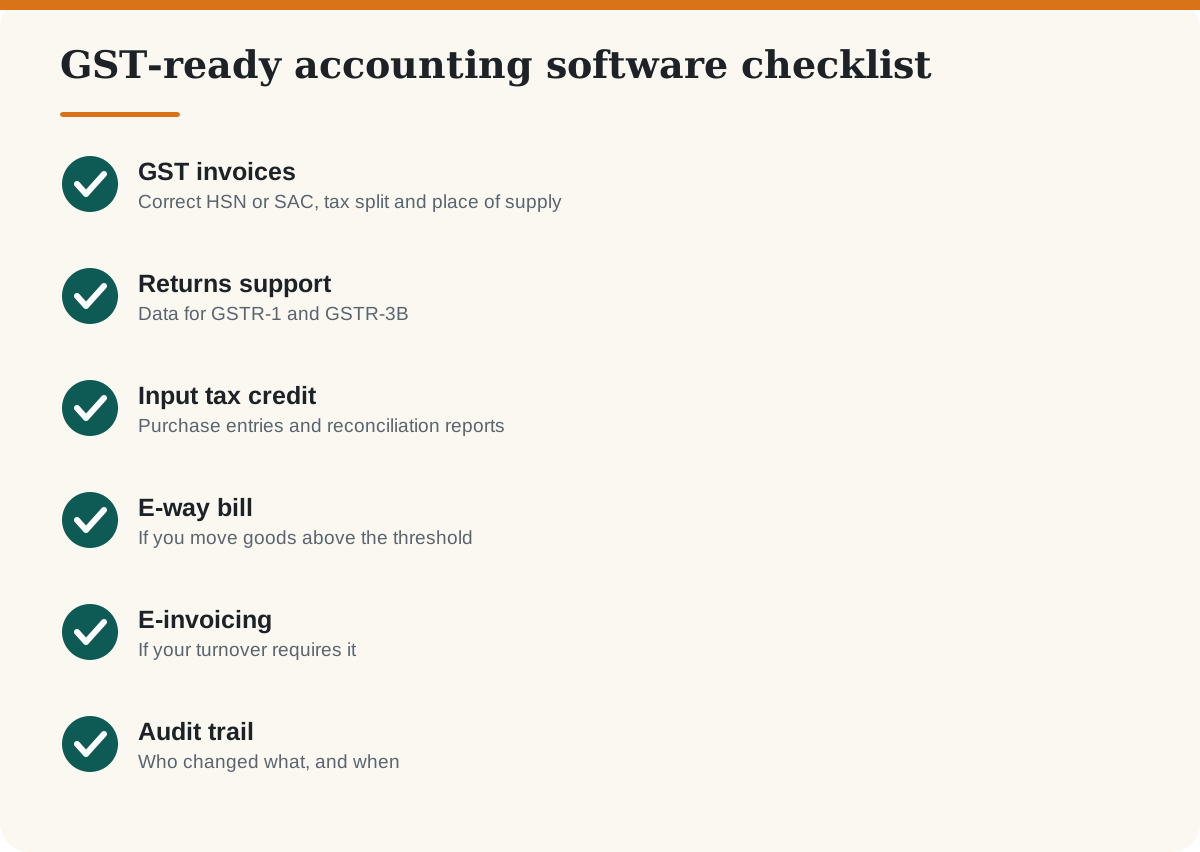
Accounting software for Indian businesses is judged less on looks and more on compliance: GST invoices, input tax credit, returns, e-way bills and, for larger firms, e-invoicing. Because tax rules change, this guide teaches you what to check instead of giving a ranking that would go stale. For where accounting fits among other business tools, see CRM vs ERP.
Key takeaways
- Check GST features first: invoicing, GSTR-ready reports, e-way bill and e-invoice support if you need it.
- Involve your chartered accountant before you choose.
- Always test with a real month of invoices.
- Confirm you can export your full data.
What GST features should accounting software have?
Do you need e-invoicing?
E-invoicing is mandatory only for businesses above a turnover limit. The limit was lowered to an aggregate turnover of ₹5 crore from 1 August 2023 under Central Tax Notification 10/2023, according to published summaries; some entity types are exempt. Rules and timelines change, so confirm the current threshold on the GST e-invoice portal or with your accountant. If you are close to the limit, choose software that supports e-invoicing so you do not have to migrate later.
Desktop or cloud accounting software?
How do you shortlist and test?
- Ask your accountant which tools they already use.
- List your needs: billing, inventory, payroll, multiple branches, e-way bills.
- Pick two or three examples such as Tally, Zoho Books, Vyapar or Busy. Other good tools exist; this is a starting list, not a ranking.
- Enter one month of real invoices and expenses in each.
- Generate a GST report and ask your accountant if it is usable.
- Compare total cost in rupees plus GST, including add-ons and support.
Once your books are organised, connect them with sales tools. See our guides on a free CRM for small businesses and email marketing tools. If you sell online, GST matters even more; read GST for online sellers in India and how to start an online store.
Frequently asked questions
Which accounting software is best for GST in India?
There is no universal best. Popular options include Tally, Zoho Books, Vyapar and Busy. Choose the one that handles your GST needs correctly and works with your accountant.
Can I use Excel instead of accounting software?
For a very small business with few transactions it can work, but it is error-prone and lacks audit trails. Accounting software handles GST calculations and reports more reliably.
Is e-invoicing mandatory for small businesses?
E-invoicing applies above a turnover threshold, which was set at 5 crore rupees from August 2023. Check the current rule on the official portal because thresholds can change.
Is cloud accounting software safe?
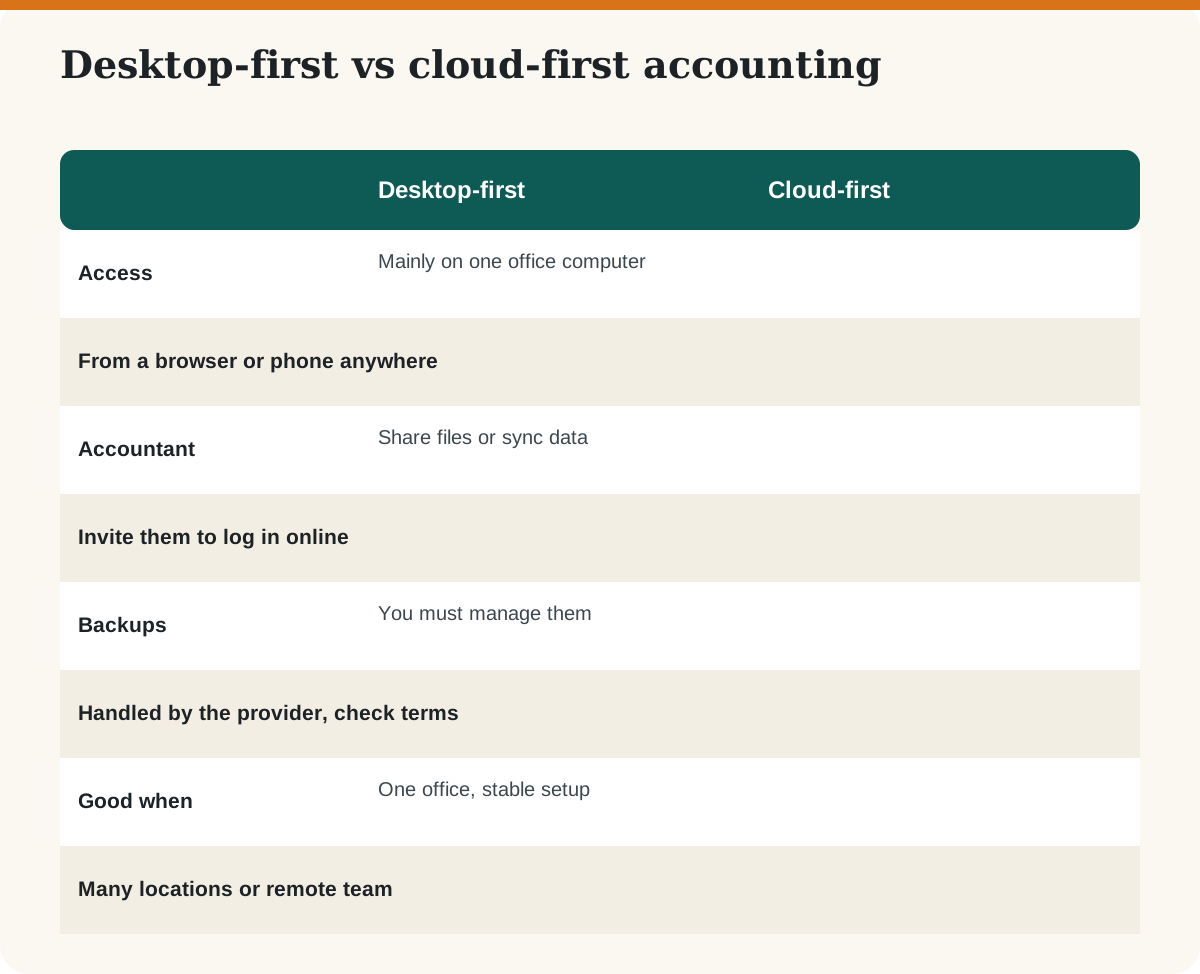
Reputable providers use encryption and backups, but you should still use strong passwords, two-step login and limited user access, and check the provider’s terms.
Can I switch accounting software later?
Yes, but it takes effort. Choose a tool that can export data in common formats and plan the move at the start of a financial year if possible.
Do I still need a chartered accountant?
Yes for tax planning, audits and compliance advice. Software records and reports; it does not replace professional advice.
Sources
Last checked: October 2026. General information, not tax or legal advice. Confirm GST thresholds and rules with the official portal or a chartered accountant.