Product Photography at Home: How to Shoot Sellable Photos With Just a Phone
Shoppers cannot touch your product, so photos do the selling. You do not need a studio to get clean, trustworthy images. This guide covers the setup, the shots buyers expect, a quick editing routine and the file steps that help your store load fast and rank in image search.
Key takeaways
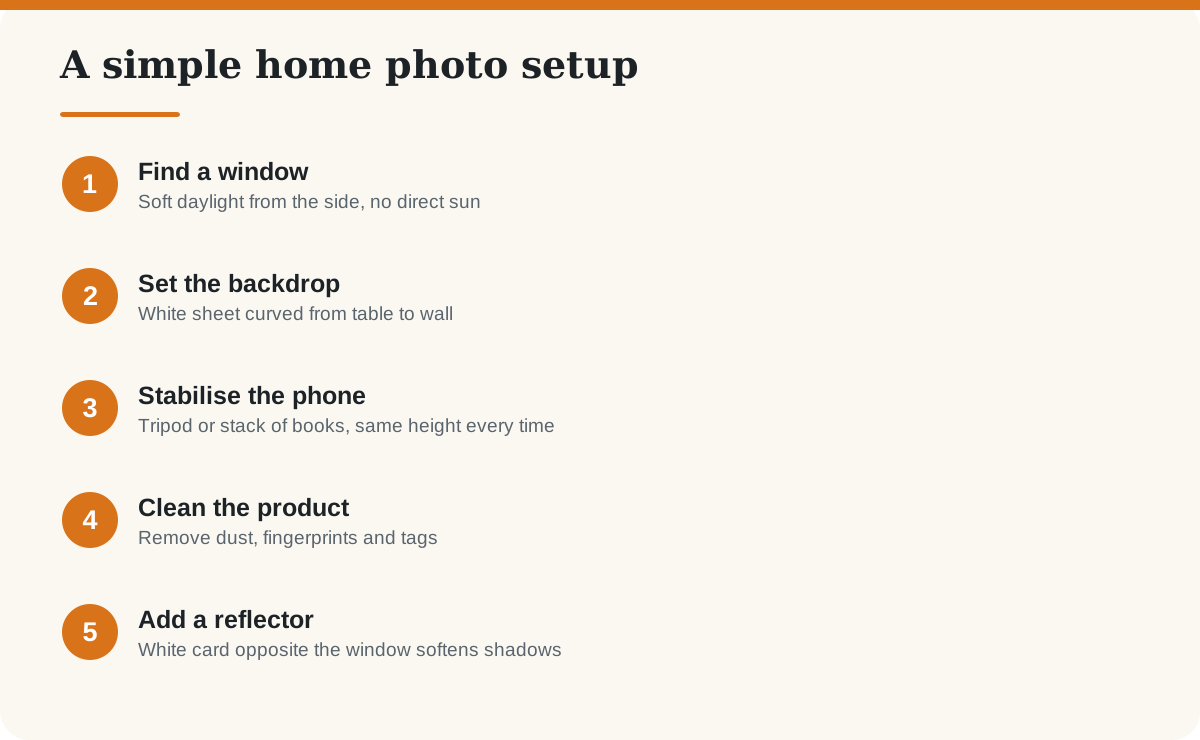
- Soft window light beats the phone flash.
- A plain, clean background keeps attention on the product.
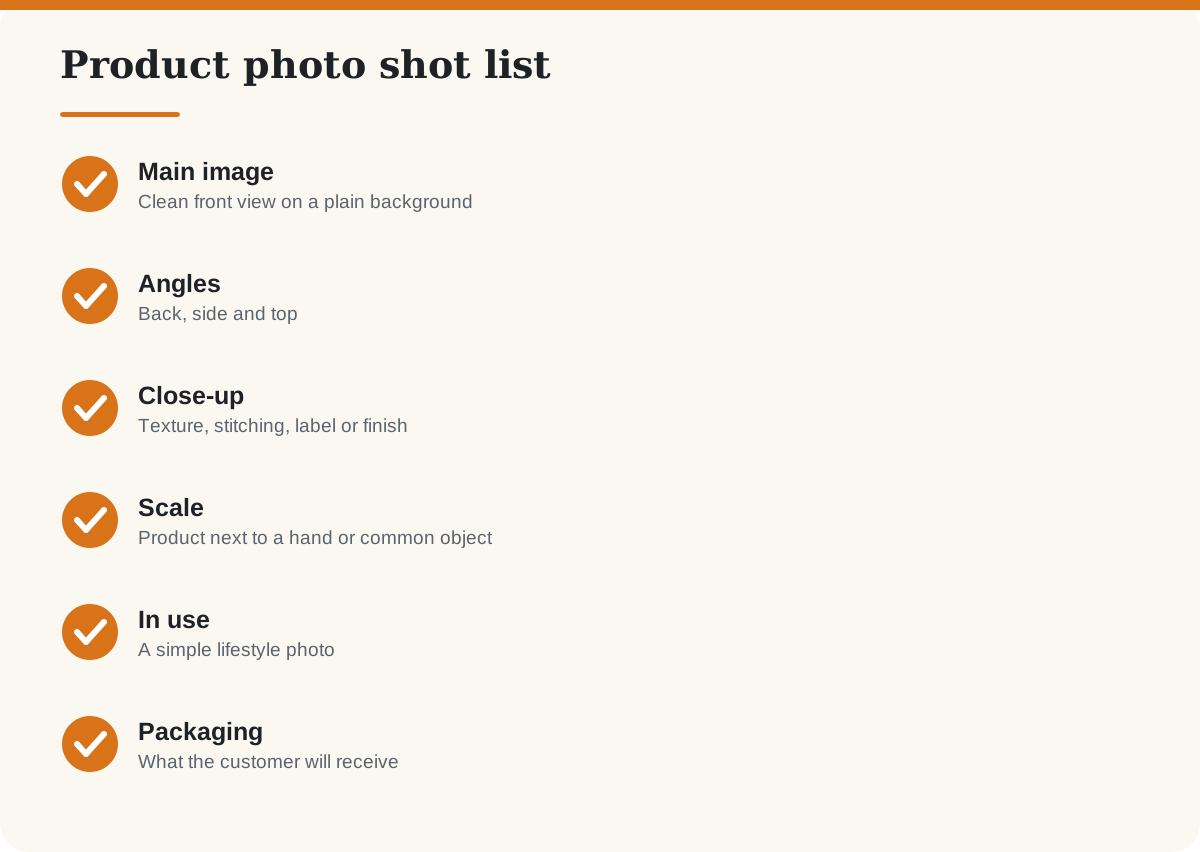
- Take a main shot plus angles, detail, scale and lifestyle photos.
- Check each marketplace’s image rules, which differ by category.
Which photos should every listing have?
How do you handle shiny, dark and tiny products?
- Shiny items (steel, jewellery): shoot through diffused light, such as a thin white curtain, and move around to avoid reflections of yourself.
- Dark items: use a lighter backdrop and a reflector to show detail.
- Tiny items: use your phone’s macro or zoom feature, keep the phone steady and tap to focus.
- Clothing: steam or iron it, then hang or lay it flat; show the fabric close up.
How do you edit and prepare images for your store?
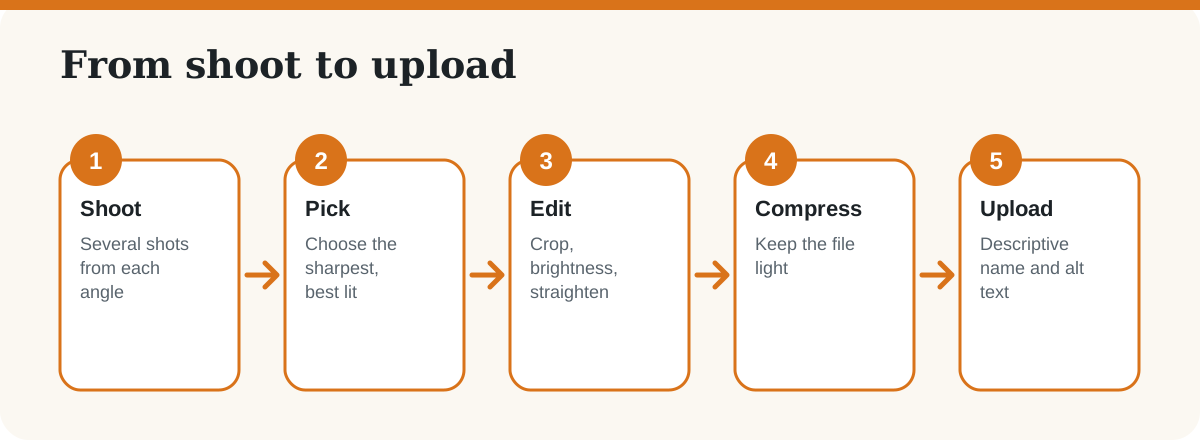
- Edit lightly in a free phone app or a tool such as Canva or Snapseed. Keep colours true to life to avoid returns.
- Export at the size your store or marketplace recommends, and compress so pages load quickly.
- Name files clearly (for example, handloom-cotton-saree-blue.jpg) and add alt text describing the product. See on-page SEO elements.
Most marketplaces ask for a clean main image, often on a white background, and have category-specific rules, so read them before you upload. If you are launching, follow our online store roadmap and the guide to selling on Amazon India.
Frequently asked questions
Can I take good product photos with a phone?
Yes. Modern phone cameras are good enough if you use soft natural light, a clean background, steady framing and careful focus.
What background is best for product photos?
A plain white or neutral background works for most products and is often required for the main image on marketplaces. Check each platform’s rules.
Should I use flash?
Usually not. Phone flash creates harsh glare and shadows. Use window light and a white reflector instead.
How many photos should each product have?
Six to eight images usually cover the main view, angles, details, scale, use and packaging.
What image size should I use?
Follow your platform’s recommendation, and keep files compressed so pages load fast. Larger originals are useful for zoom features.
Can I use AI to edit product photos?
You can use AI tools for background cleanup or retouching, but do not change the product’s colour, size or condition in a way that misleads buyers.
Last checked: October 2026. Marketplace image rules change and differ by category; check the platform’s current guidelines.